Most of my client work doesn't arrive as a project. It arrives as a message.
A client emails to ask if I can swap a photo on the homepage. Another sends a WhatsApp on Sunday evening about a form that has stopped sending. A third forwards a newsletter with "could we do something like this?" None of these is big. All of them matter to the person who sent them, and all of them take time.
For a long time my system was my inbox, a notes app and good intentions. It mostly worked. (lol) What it didn't do was tell me, at a glance, which client was close to using up their monthly hours, which asks were still sitting unsorted, and how much time had gone on work I'd forgotten to log.
So I built something that does.
Why a map
I'm a very visual person. I don't hold my week in my head as a list. I hold it as a picture: who I'm working with, what's going on with each of them, and which of them needs attention.
Most task tools are lists. They're good lists, but a list puts a quick photo swap and a three-month rebuild in the same format, one line each. I wanted the size and state of the work to be visible before I read a word.
The idea of seeing work as worlds and circles came from Varelyno. It matched the picture I already had in my head so closely that I knew it was the right shape. I didn't copy it. I built my own version around the way I work and around Zoho Projects, which is where my clients' projects already live.
I call it the Cockpit.
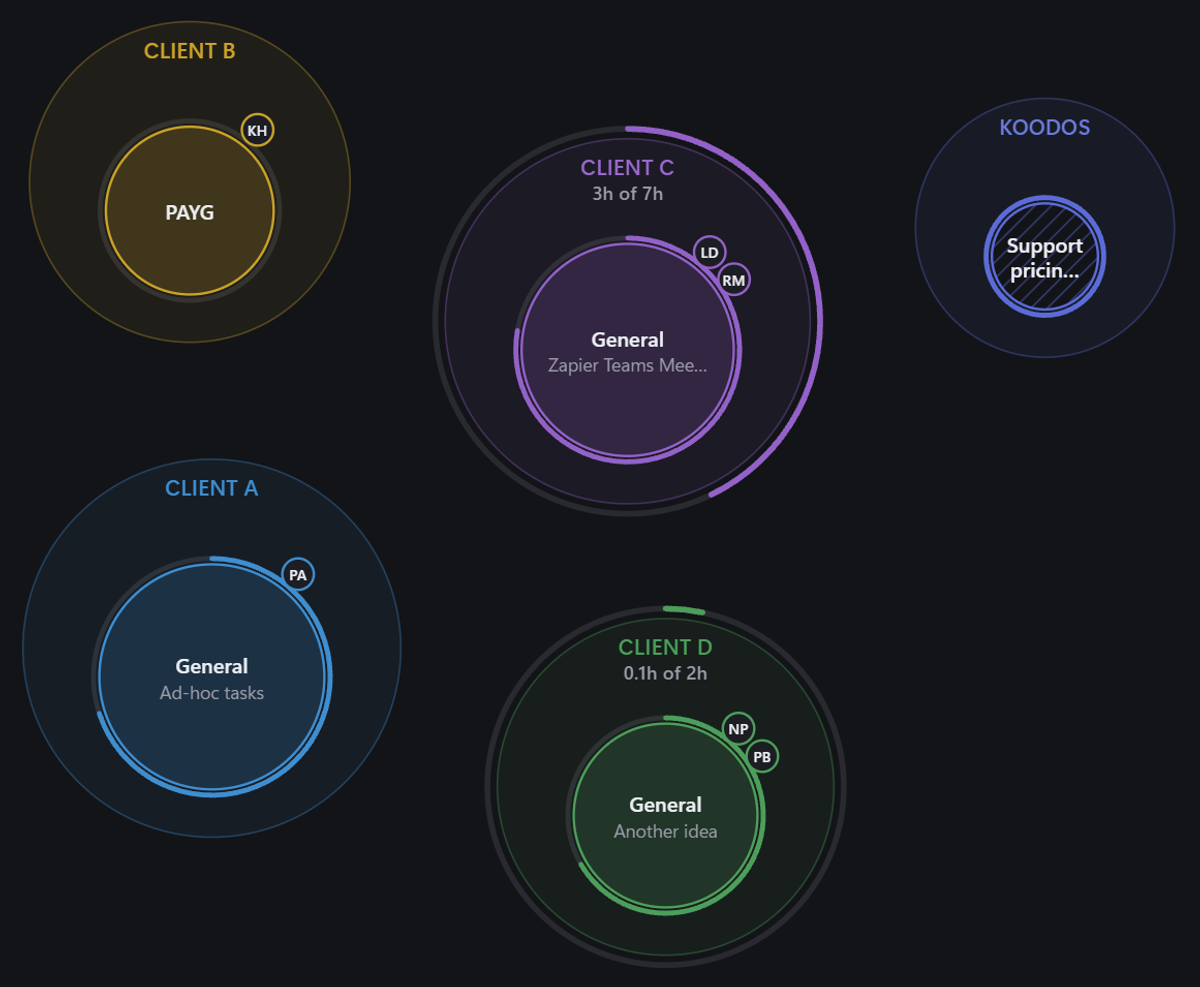
Every client is a World
Each client is a World. Inside it, each strand of work, such as ongoing support, a rebuild or a piece of research, is a circle.
For clients with a monthly allowance of hours, a ring around the World fills as the current billing cycle's hours are used. Every client has their own cycle start day, so the ring resets when their month does, not when the calendar's does. I can see in one look that one client has used three hours of seven and another is barely started, without opening a report. Pay-as-you-go clients simply build up logged time.
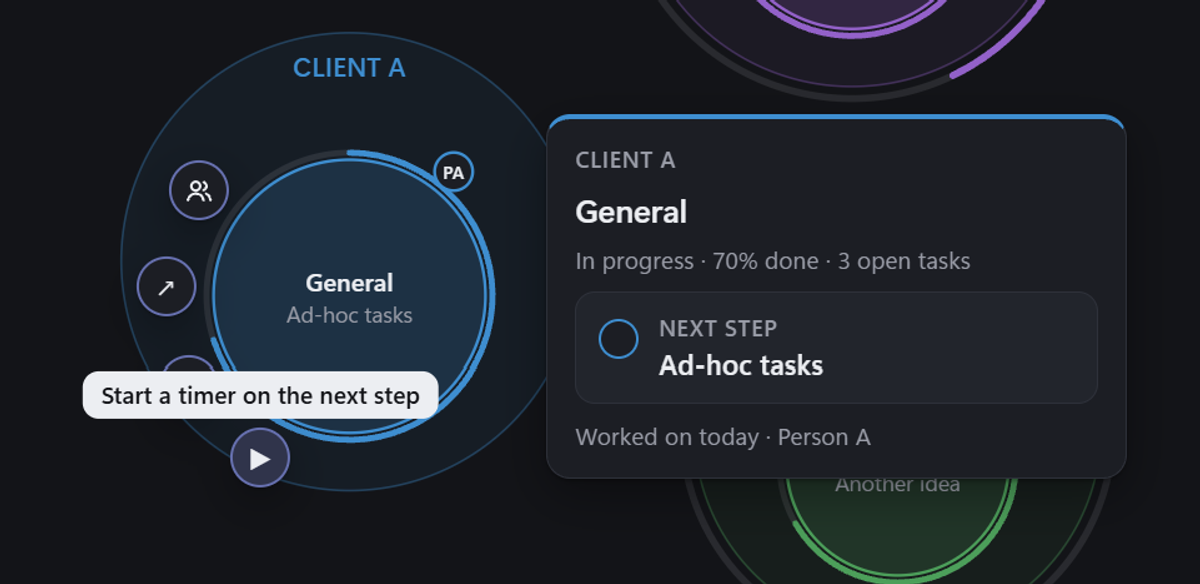
Hovering over a workstream shows where it stands and its next step, and starts a timer on that step with one click.
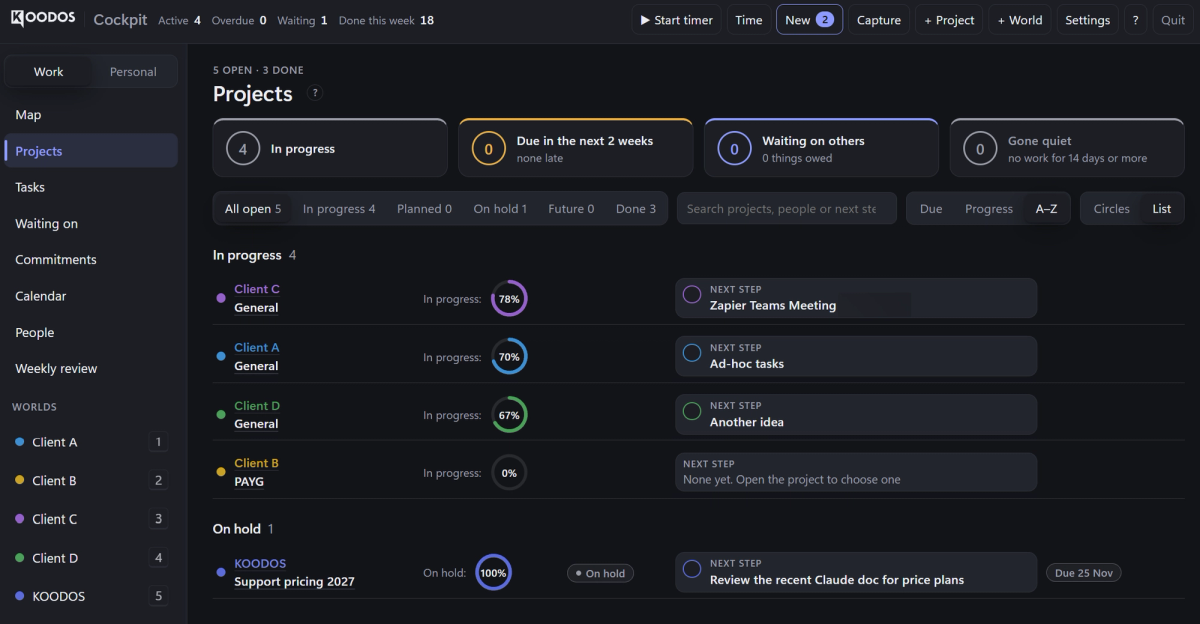
The same information is there as a list when I want to sort or search. That view also shows what is due in the next two weeks, what I'm waiting on from other people, and anything that has gone quiet for a fortnight.
Every request lands in one place
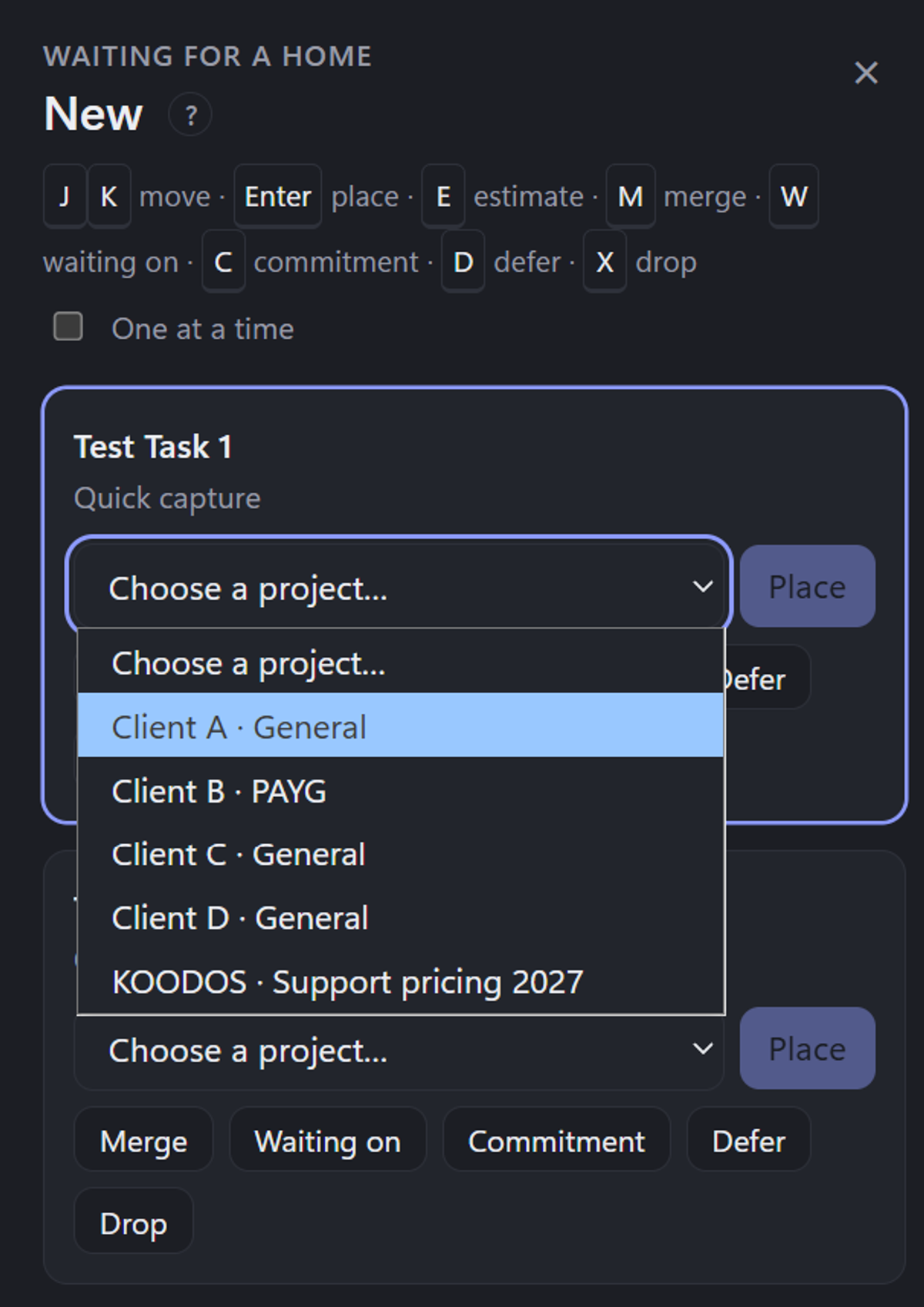
New tasks go into a single inbox, whether they come from email or a quick note I make between calls. From there I sort each one into the right client and workstream from the keyboard. I can also merge it with something already open, mark it as waiting on someone else, turn it into a commitment, defer it or drop it.
The point isn't speed for its own sake. It's that nothing sits in my email as a vague "must get to that". Every ask is either placed somewhere with a next step, or I've decided consciously not to do it.
WhatsApp capture is next, so that the Sunday-evening message lands in the same inbox as everything else.
Time that logs itself where it belongs
Time tracking is built in: a start and stop timer, manual entries for work done away from the desk, and idle detection, so a timer left running over lunch doesn't quietly add an hour.
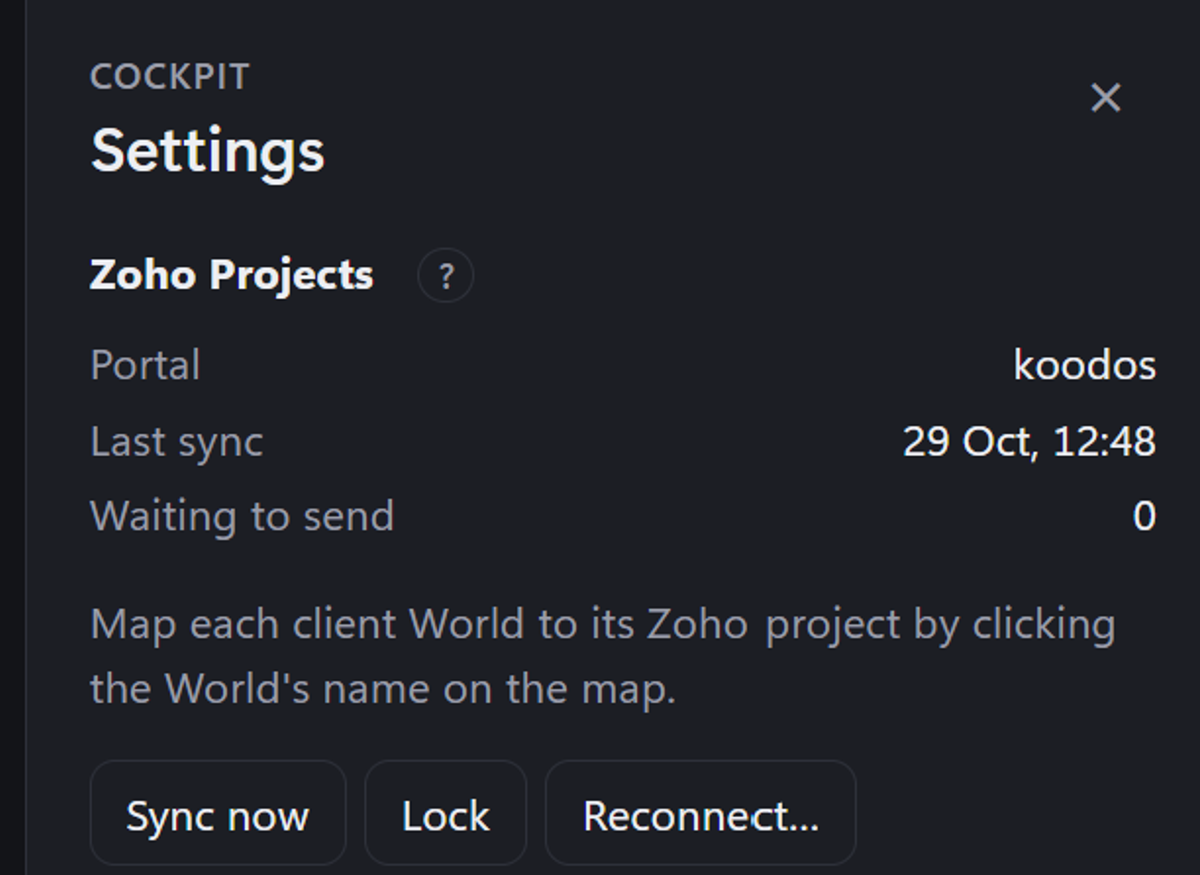
The part that matters most is where the time goes. Each World is linked to its Zoho project, and each workstream to a task list. When I log time in the Cockpit, it's posted to the real task in Zoho. That record is what my period-end reports come from: each client gets a CSV of the tasks and the time spent on them. For pay-as-you-go clients it's what I bill from. For clients on a monthly allowance it shows whether the month ran over or under, and it feeds the review at the end of each cycle. Sync runs both ways, so a project archived in Zoho drops off the map, and bringing it back in Zoho brings it back here. It has been running against live client projects, not test data.
That removes the step where time gets lost: remembering on Friday afternoon what I did on Tuesday morning.
Planning fixed-price work from the brief
Not everything is a small ask. Fixed-price projects, such as a website rebuild, start with a brief: a PRD, a scope document, meeting notes.
Alongside the Cockpit I built a Claude skill that reads those documents and drafts the full Zoho project plan: phases for each milestone, task lists, tasks with estimates and dependencies. Anything a client has asked for that sits outside the agreed scope is flagged as a change request rather than slipped into the plan. I review the draft before anything is created, and re-running it updates the plan instead of duplicating it. On its first full test it turned a real brief into a three-phase, 46-task plan in one pass. Of course some taskls/milestones need adjustment. Many need teh human touch - but thsi is what Ai does best - ‘work’ while fleshy humans make '‘decisions’ about the work.
Once agreed with a client, it means the plan matches what was agreed, and anything extra is a visible decision, not scope creep.
How it was built
I wrote the PRD. Claude Code built the Cockpit from it phase by phase, each phase as a pull request I reviewed, with more than 200 automated tests along the way. I tested each release on my own machines with real work.
It's local-first: it runs from an encrypted drive on my own computers, with no cloud service in between, and backs itself up every hour. Client data stays with me.
It's a tool for my practice, not a product, and it isn't for sale. I'm writing about it because it's how I work, and because building it used the same approach I take on client projects: write down what it needs to do, build it in reviewed stages, and test it against the real thing.
What it means if you work with me
Your tasks don't depend on me remembering an email. Each one is placed, given a next step and timed, and at the end of the period you get a plain record of what was done and how long it took. On fixed-price work, the plan comes from what we agreed, and anything new arrives as a change you can say yes or no to.
The map is mine. The point of it is that nothing you send me gets lost.