If you have ever wondered why some search results carry extra detail — star ratings, event dates, a publication date — right there on the results page, that is schema markup doing its work. This post covers what schema markup is, why it matters more now that AI systems answer questions rather than simply list links, and how I add it to a site, whatever that site happens to be built with.
What is schema markup?
Simply put, schema markup is code you add to a page to help search engines understand what the content actually is. Think of it as providing context. Instead of a block of text, schema markup lets a machine identify what that text is about: is it a blog post? A product? An event? A business with an address and opening hours?
There are many schema types, each designed for a different kind of content. I might use the “Article” type for a post like this one, “Product” for something being sold, “LocalBusiness” for a company's contact page, or “FAQPage” for a list of questions and answers.
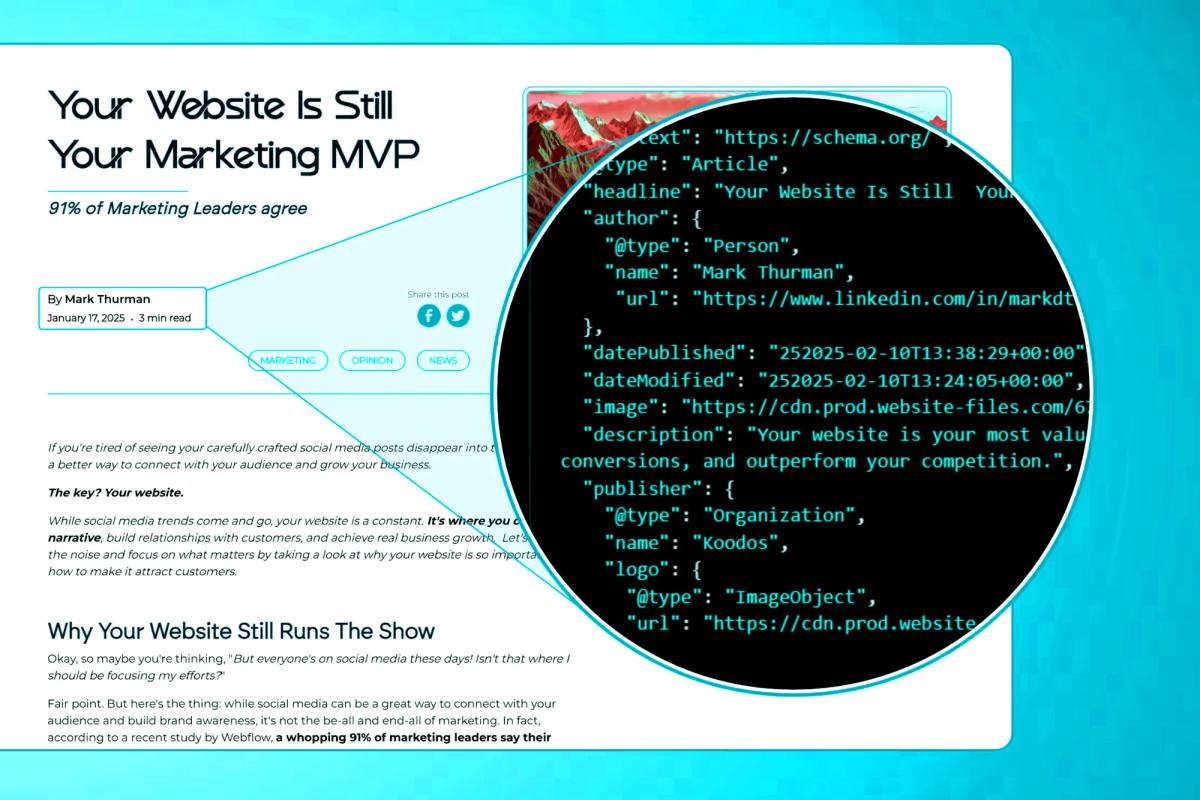
Schema markup is written in JSON-LD: a block of structured data that sits in a script tag in the page's head, separate from the visible content. Nothing about it is platform-specific. It is the same code whether the page comes out of WordPress, a visual builder, a headless CMS or a hand-written HTML file. Only the place you paste it changes.
<script type="application/ld+json">
{
  "@context": "https://schema.org",
  "@type": "Article",
  "headline": "Schema markup: an overlooked tool on many a website",
  "datePublished": "2026-02-26",
  "author": { "@type": "Person", "name": "Mark Thurman" }
}
</script>
Why is schema markup important?
From my perspective, schema markup offers a handful of advantages that I would call essential rather than optional. Here are the main ones:
- Richer search results. Implemented correctly, a listing can display more than a title and a description: star ratings for reviews, event dates and times, prices, images. These rich snippets take up more of the page and tend to catch the eye before the plain results around them.
- Better understood pages. By giving explicit clues about the meaning of my content, I am helping search engines work out what a page is about rather than leaving them to infer it. That leads to better indexing and, potentially, better rankings for the queries that matter. It is not magic or witchcraft, just a way of saying the thing plainly in a language machines read perfectly.
- Legibility to AI systems. Now that search increasingly returns a generated answer, structured data makes the key facts on a page unambiguous to the systems producing it. An assistant deciding which businesses to name, or Google assembling an AI Overview, is working from what it can parse with confidence. Schema will not get you cited on its own, but it removes any guesswork about what your page is, who wrote it and what it claims.
- A higher click-through rate. The richer and more informative a result looks, the more likely people are to click it. When I see a listing with ratings or event details I am more inclined to choose it over a plain one, and I suspect most people are the same.
- A better experience before the click. If someone can see the key details of a page before they open it, they can decide whether it is what they wanted. That saves them a wasted visit and saves you a bounce.
Adding schema markup to a page
The process is the same everywhere: generate the code, then put it somewhere that ends up in the page's head. It is not hard, and even with no coding experience it is something anyone can do with a bit of patience.
- Generate the markup. I start with a schema markup generator online. There are several free ones. They ask what kind of content the page holds and hand back correct code for it.
- Copy the JSON-LD. Script tag and all. JSON-LD is the format Google recommends; the older microdata approach still works but is far more fiddly to maintain.
- Paste it into the page. Where that is depends on your platform — see below. The head is my default. For site-wide types such as Organization or LocalBusiness I put it in a template or component that appears on every page, so there is one copy to maintain rather than forty.
- Publish, then check. Markup that was never validated is markup you cannot rely on. The tools for that are further down.
Where the code goes, by platform
- Visual builders (Webflow, Squarespace, Wix). Page settings has a custom code or code injection area with a head field. Paste it there, save, publish.
- WordPress. An SEO plugin such as Yoast or Rank Math already outputs a good deal of schema. Check what is there before you add more, or you will end up with two competing descriptions of the same page. Anything extra goes in a code-snippets plugin or the theme's header.
- Shopify and other commerce platforms. The theme templates. Product schema is usually built into a decent theme already, so the job is checking it is complete rather than writing it from scratch.
- Coded and headless sites. Render the script tag in the layout and feed it from the same data that renders the page, so the markup cannot drift from what is on screen. It is one of the quiet advantages of a coded build.
Schema for content that comes from a CMS
Pages generated from a collection — blog posts, team members, events, products — should never have their schema written by hand one page at a time. Every CMS worth using lets you put the markup in the template once and pull the values from each item's own fields, so every page gets accurate markup at publication without anyone having to remember.
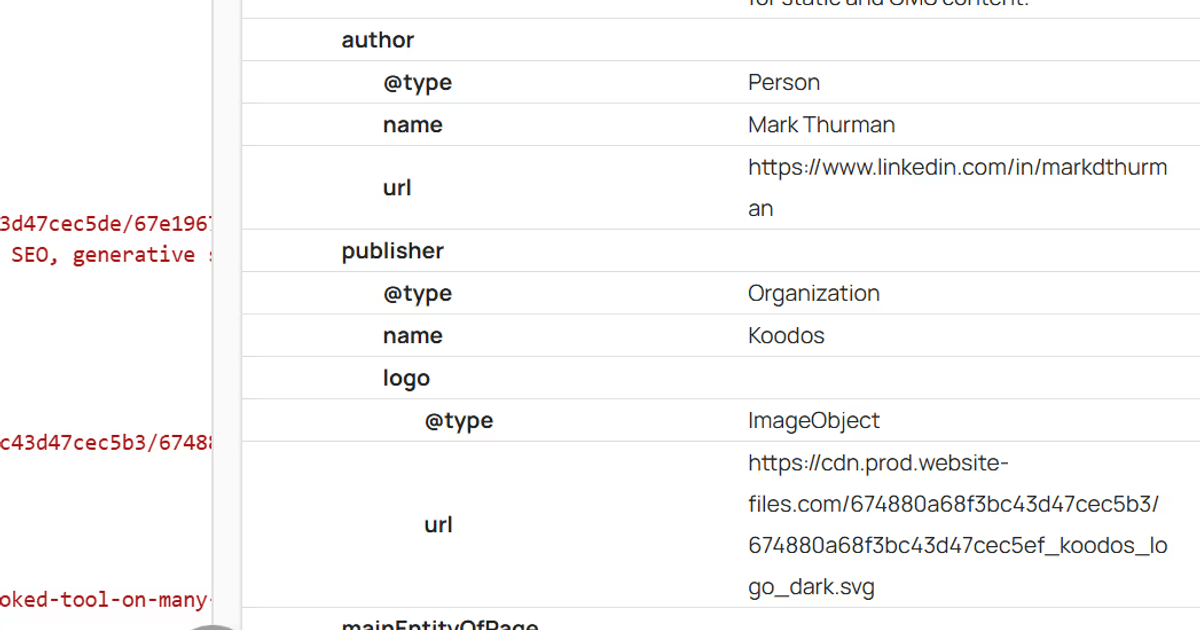
- Blog posts: Article, with a nested Person for the author. The title, publication date, author name and featured image all come straight from the fields the post already has.
- Author or team pages: Person — name, job title, and links to their profiles elsewhere so the systems reading it can connect the same person across sites.
- Events: Event — name, location, start and end dates, description. Dates in particular are worth getting right; they are what produces the extra line in the result.
- Anything else with a collection behind it: products, case studies, venues, recipes, job listings. If it is a repeating content type, schema.org almost certainly has a matching one.
The principle is the same in every case: the template holds the shape, the fields hold the facts.
Validating your markup
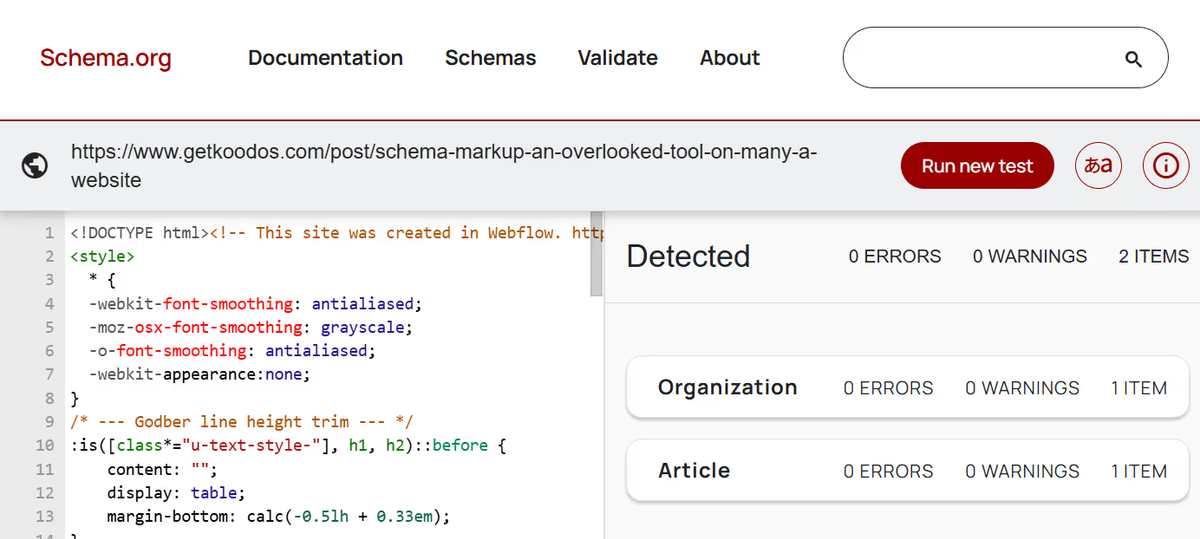
Once it is live I always validate. It confirms the code is implemented correctly and that search engines can read the data as intended. Two free tools do the job:
- Google's Rich Results Test. Give it a URL or a snippet and it tells you whether the page is eligible for rich results, flags any problems, and previews how the result might look.
- Schema Markup Validator. Less focused on Google's rich results and more on whether the markup itself is valid. Paste the code or pass it a URL, and it returns errors and warnings in detail.
Test after adding markup to a new page, after changing markup that already exists, and after any rebuild or platform move — structured data is one of the first things to get left behind when a site changes hands or platforms. Catching a mistake early is the difference between schema that works and schema that merely exists.
Here is what validation looks like for this article:
And here are the dates in the markup, pulled from the post and author records in the CMS rather than typed in by hand:
Best practices
- Describe what is actually on the page. Markup that claims something a visitor cannot see is a liability, not an advantage.
- Use the correct type, and only the types that genuinely fit the content.
- Let one system own it. A plugin and a hand-pasted snippet both describing the same page is worse than having neither.
- Validate after every change, not just the first time.
- Watch Search Console for rich-result errors in the weeks after you ship. It will tell you what the test tools cannot.
Conclusion
Schema markup is one of the cheapest things you can do for a website and one of the most consistently skipped. It costs an afternoon, the work is the same on every platform, and it makes your pages legible to the systems that are now answering questions on your behalf rather than sending people to you to find the answer. Start with your most important page and work down. Getting a business into those answers properly is what Coverage is for — but the schema part you can do yourself, today.